
For modern professionals, the workspace is the epicenter of daily activity. Whether you are managing an enterprise network, designing graphics, or analyzing financial data, prolonged sitting is an inevitable part of the job. Unfortunately, a sedentary work style frequently translates into chronic musculoskeletal issues. When employees or individual professionals seek solutions, investing in reliable Ergonomic Office Chairs for Back Pain is no longer a luxury—it is a medical necessity and a strategic productivity investment.
This comprehensive guide is designed to dissect the biomechanical requirements of proper workplace seating. We will bypass marketing jargon to focus strictly on structural integrity, adjustability metrics, and ergonomic science. By understanding exactly how specific chair mechanisms interact with human anatomy, purchasing managers and individual buyers can make informed decisions that mitigate health risks and enhance occupational comfort.
1. Understanding the Mechanics of Desk Seating for Spinal Support
To comprehend why standard chairs fail, we must first analyze the human spine under the stress of a seated position. The human spine naturally maintains an 'S' shape when standing, with an inward curve at the lower back (lordosis) and an outward curve at the upper back (kyphosis). When transitioning to a seated posture on an unsupportive surface, the pelvis tends to tilt backward. This backward pelvic tilt flattens the natural lumbar lordosis, transforming the 'S' shape into a 'C' shape.
This unnatural curvature dramatically increases the mechanical load on the intervertebral discs. Over time, sustained static loading leads to disc compression, muscle fatigue, and restricted blood flow. High-quality ergonomic office chairs are engineered specifically to counteract this pelvic rotation. They utilize integrated structural support systems that physically prevent the lower back from slouching, thereby redistributing the upper body's weight evenly across the seat pan and the backrest.
Furthermore, dynamic sitting is a crucial concept in modern workplace ergonomics. The spine requires subtle movements to hydrate the intervertebral discs. A rigid chair restricts this movement, whereas a properly calibrated chair with a synchronous tilt mechanism encourages micro-movements, allowing the user to shift postures safely without losing vital spinal contact.
2. Key Technical Features of Orthopedic Workstation Seats
When evaluating a seating solution for therapeutic purposes, visual aesthetics must take a back seat to functional engineering. The effectiveness of any orthopedic workstation seat relies entirely on its adjustable parameters. A chair that cannot be customized to the exact anthropometric measurements of the user will ultimately fail to alleviate discomfort.
Below is a detailed breakdown of the critical components that differentiate a therapeutic chair from a conventional one:
Adjustable Lumbar Support: This is the foundational element. Fixed lumbar support only works if the user's spine aligns perfectly with the curve. Advanced chairs feature both height and depth adjustable lumbar modules. The height adjustment ensures the apex of the curve fits exactly into the small of the user's back, while the depth adjustment controls the firmness and forward pressure exerted against the spine.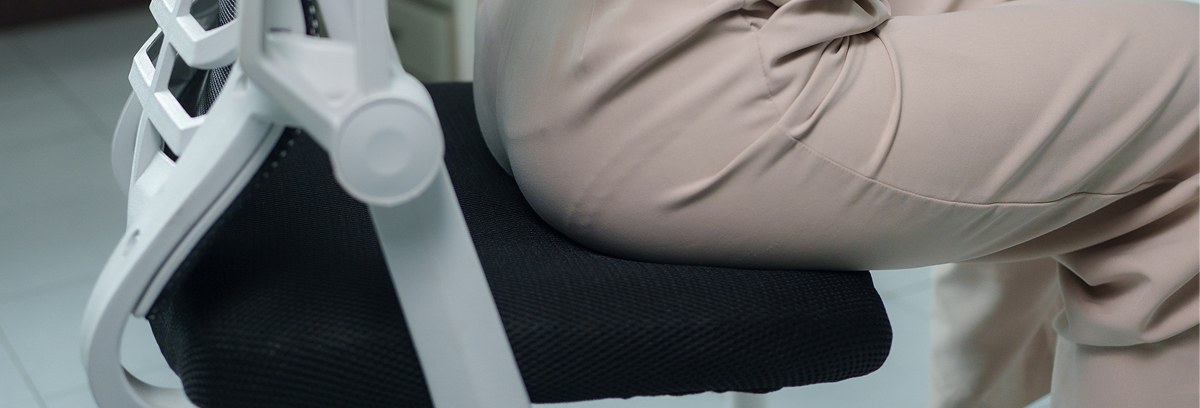
Seat Pan Depth and Slider: The depth of the seat pan determines how much support the thighs receive. If the seat is too deep, the user cannot reach the backrest without slouching; if too shallow, all the body weight is concentrated on the buttocks. A built-in seat slider allows the user to adjust the distance between the backrest and the front edge of the seat, ensuring a crucial two-to-three-finger gap behind the knees to maintain proper blood circulation to the lower extremities.
Synchronous Tilt Mechanism: Unlike older mechanisms where the back and seat tilt at a 1:1 ratio (lifting the user's feet off the floor), a synchro-tilt mechanism typically employs a 2:1 ratio. For every two degrees the backrest reclines, the seat pan tilts only one degree. This keeps the user's feet planted firmly on the ground while opening the torso-to-thigh angle, which actively reduces spinal compression during reclined working postures.
Adjustable Armrests (3D or 4D): Shoulder and neck strain are directly linked to improper arm support. 4D armrests offer adjustments in height, width, depth (forward/backward), and pivot (inward/outward angle). This ensures that the user's forearms rest parallel to the desk surface, allowing the shoulders to drop and relax, completely removing the weight of the arms from the cervical spine.
Feature Comparison Matrix
| Component | Standard Office Chair | Premium Ergonomic Chair for Back Relief | Ergonomic Benefit |
| Lumbar Support | Fixed or Non-existent | Height and Depth Adjustable | Maintains natural lordotic curve, preventing disc compression. |
| Seat Pan | Fixed Depth, Standard Foam | Sliding Depth, High-Density Molded Foam | Ensures proper thigh support and prevents restricted leg circulation. |
| Tilt Mechanism | Center-Tilt (1:1 ratio) | Synchro-Tilt with Multi-position Lock | Allows reclined working without lifting feet or constricting the abdomen. |
| Armrests | Fixed or Height-Only | 3D or 4D Adjustment (Height, Width, Depth, Pivot) | Reduces load on the trapezius muscles and cervical spine. |
| Base & Casters | Standard Plastic | Aluminum Alloy with Floor-Specific Casters | Provides absolute stability and reduces strain when moving the chair. |
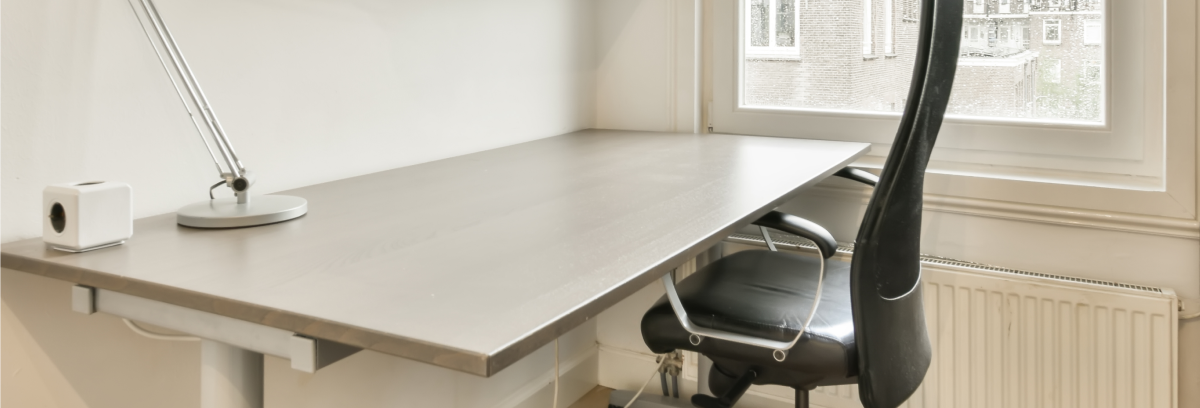
3. How to Properly Calibrate Your Ergonomic Computer Chair for Lumbar Relief
Purchasing a high-end chair is only fifty percent of the solution; proper calibration constitutes the other fifty percent. An improperly adjusted chair will not yield the desired physiological benefits. Following a systematic adjustment protocol ensures maximum efficacy.
Step 1: Establishing the Foundation (Seat Height). Begin by standing in front of the chair. Adjust the pneumatic cylinder until the highest point of the seat pan is just below your kneecaps. Sit in the chair with your feet flat on the floor. Your knees should be bent at an angle slightly greater than 90 degrees, positioning your hips marginally higher than your knees. This open pelvic angle naturally rotates the pelvis forward, establishing a healthy spinal baseline.
Step 2: Calibrating the Seat Depth. Utilize the seat slider lever. Slide the seat pan forward or backward until you can comfortably fit two to three fingers between the back of your calves and the front edge of the seat pad. This clearance is non-negotiable, as pressure on the popliteal artery behind the knee can cause deep vein thrombosis and severe leg fatigue.
Step 3: Positioning the Lumbar Node. Sit back completely into the chair. Adjust the lumbar support module vertically until you feel the firmest part of the curve nestling directly into the deepest part of your lower back curve (typically right above the beltline). If your chair has a depth control, increase the tension until you feel a supportive, but not intrusive, pressure.
Step 4: Armrest Alignment. Drop your shoulders completely and let your arms hang loosely at your sides. Bend your elbows to 90 degrees. Bring the armrests up until they just barely make contact with the underside of your forearms. If the armrests force your shoulders to shrug even slightly, they are too high. Pivot the armpads inward if you are typing on a keyboard, or outward if you are using a wider control console.
4. Comparing Materials in Postural Support Office Seating
The upholstery and structural materials used in manufacturing directly impact thermal comfort, durability, and pressure distribution. Modern seating generally relies on three primary material categories, each serving different operational environments and user preferences.
Elastomeric Mesh: Over the last decade, high-tension mesh has revolutionized office seating. A premium mesh pellicle conforms precisely to the user's body shape, distributing weight evenly across a large surface area and eliminating pressure points. Furthermore, mesh allows for continuous airflow. This thermal regulation is critical for users sitting for 8 to 10 hours a day, as it prevents the buildup of heat and moisture which can lead to discomfort and skin irritation. For users seeking ultimate breathability, upgrading to breathable mesh desk chairs is highly recommended.
High-Density Injection-Molded Foam: Fabric-covered foam remains a staple in ergonomic design. However, there is a vast difference between cheap cut foam and high-density injection-molded foam. Molded foam retains its structural integrity and rebound characteristics for years. It offers a softer, more cushioned feel compared to mesh, which some users prefer for sustained comfort. When selecting foam, ensure it is paired with a highly durable, abrasion-resistant commercial-grade fabric.
Genuine Leather and PU Alternatives: Leather is traditionally associated with executive suites and boardrooms. While it offers unparalleled aesthetics and is easy to sanitize, standard leather does not breathe as well as mesh. For those who prioritize a premium look while managing spinal issues, selecting executive leather seating that integrates segmented ergonomic padding and hidden lumbar mechanisms is the optimal path. High-end leather chairs often utilize perforated panels to mitigate heat retention.
5. The Empirical Impact of Adjustable Task Chairs on Lower Back Ache
The correlation between workplace seating and employee health is not merely anecdotal; it is heavily supported by occupational health data. According to guidelines set forth by authoritative bodies, implementing proper ergonomic interventions significantly reduces musculoskeletal disorders (MSDs). For comprehensive regulatory standards on workplace setups, purchasing managers should consult OSHA's official ergonomic guidelines, which detail the financial and physiological impact of poor workplace design.
When a professional experiences continuous lower back ache, their cognitive load is split between managing the pain and executing their tasks. This phenomenon, known as presenteeism (being physically present but mentally distracted by discomfort), drastically reduces work output and increases error rates.
Investing in adjustable task chairs effectively neutralizes this physical distraction. By providing a seating apparatus that continuously supports the spine through various working postures—from intensive forward-leaning typing to reclined reading—the chair absorbs the mechanical stress that would otherwise be borne by the user's spinal discs and supporting musculature. The return on investment (ROI) for corporate buyers is quickly realized through reduced absenteeism, lower healthcare premiums, and heightened daily productivity.
6. Sizing and Anthropometric Guide for Ergonomic Desk Chairs for Spinal Health
One of the most common mistakes in procurement is treating chairs as "one-size-fits-all" commodities. Human anthropometry—the measurement of the human individual—dictates that a chair designed for a 5'2" user will cause severe ergonomic failure for a 6'4" user, and vice versa.
Standard vs. Big and Tall Categories: Most commercial chairs are designed to accommodate the 5th to 95th percentile of the population. This generally covers individuals from roughly 5'4" to 6'2", with weight capacities up to 250 lbs. If you fall outside these parameters, standard chairs will exacerbate back pain. The cylinder will not elevate high enough, the seat pan will be too short, and the backrest will position the lumbar support in the wrong place.
Selecting for Shorter Profiles: Users under 5'4" require chairs with low minimum seat heights (usually around 15 to 16 inches from the floor) and shorter seat pan depths to ensure feet touch the floor without cutting off thigh circulation. Adding a dedicated ergonomic footrest can also help bridge the gap if the desk height cannot be lowered.
Selecting for Taller and Heavier Profiles: Users exceeding 6'2" or 250 lbs must seek out "Big and Tall" or heavy-duty classifications. These models feature reinforced aluminum bases, heavy-duty Class 4 pneumatic cylinders, extended backrests to support the upper thoracic and cervical spine, and seat depths that can extend past 20 inches. Ensuring the physical dimensions of the chair match the anatomical dimensions of the user is the fundamental prerequisite for achieving spinal health.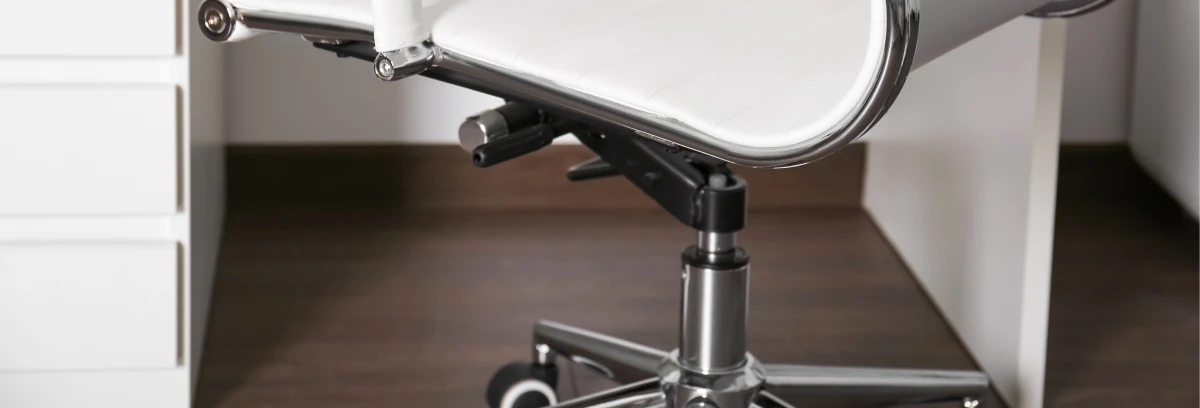
7. Maintenance and Lifespan of Back-Friendly Office Furniture
An ergonomic chair is a sophisticated piece of mechanical equipment. Like any machine, it requires periodic maintenance to ensure the kinetic mechanisms function smoothly and continue to provide the necessary therapeutic support over time. Understanding the lifecycle of back-friendly office furniture ensures that your investment remains a valuable asset rather than a depreciating liability.
Mechanical Maintenance: The pneumatic gas cylinder and the synchro-tilt gearboxes are the heart of the chair's functionality. While sealed systems require little direct lubrication, keeping the central column free of dust and debris prevents premature wear on the cylinder seals. Every six months, users should inspect and tighten all accessible bolts, particularly those connecting the armrests and the backrest spine to the base mechanism. A loose structural bolt can alter the chair's alignment, subtly shifting the user's posture and reintroducing back strain.
Upholstery Care: For mesh chairs, regular vacuuming with a brush attachment prevents abrasive dust particles from wearing down the elastomeric threads. For fabric seats, immediate spot cleaning of spills prevents degradation of the foam beneath. Leather requires periodic conditioning to prevent cracking and maintain its supple flexibility.
Expected Lifespan and Warranties: A high-quality, commercial-grade chair is engineered for 24/7 usage and should last between 7 to 12 years before the foam compresses completely or the pneumatic cylinder loses its pressure. When evaluating options, prioritize manufacturers that offer comprehensive warranties (typically 5 to 12 years) that cover not just the frame, but the moving mechanisms and cylinders. A robust warranty is a manufacturer's vote of confidence in the structural integrity of their product.
8. Frequently Asked Questions About Work Chairs for Back Discomfort
As professionals navigate the complex landscape of ergonomic office equipment, several recurring questions arise. We have compiled and answered the most critical inquiries regarding work chairs designed for back discomfort to assist you in your final decision-making process.
Q1: Can a new chair instantly cure my back pain?
No chair is a magical medical cure. A scientifically designed chair removes the mechanical stressors that cause or aggravate back pain. It provides the optimal environment for your spine to heal and function. However, if you are transitioning from years of poor posture, a new chair may actually cause mild discomfort for the first few days as your muscles readjust to being held in an anatomically correct alignment. This adjustment period usually resolves within a week.
Q2: Is a headrest necessary for lower back pain?
While a headrest primarily supports the cervical spine (the neck), the human spine is an interconnected kinetic chain. Severe tension in the neck and shoulders can cascade down the back muscles and exacerbate lower lumbar issues. If you spend a significant amount of time in a reclined position (e.g., taking phone calls, reviewing documents, or thinking), a highly adjustable headrest that supports the base of the skull can significantly reduce overall spinal fatigue.
Q3: How do I know if my current chair is causing my back issues?
There are clear indicators: If you find yourself constantly shifting weight, experiencing numbness in your legs, feeling a dull ache in your lower back that worsens as the workday progresses but alleviates on weekends, or if you naturally slide forward to perch on the front edge of the seat, your current chair is failing you. These are physical symptoms of inadequate lumbar support and improper seat depth.
Q4: Are gaming chairs good for professional office work and back support?
Generally, standard racing-style gaming chairs prioritize aesthetics over ergonomic science. They often feature pronounced bucket seat wings that restrict movement, and rudimentary lumbar support (often just a loose pillow) that lacks precise depth and height adjustability. For true, sustained back support during an 8-hour workday, a dedicated professional ergonomic chair with integrated, dynamic lumbar systems is vastly superior.
Q5: What is the optimal tilt tension setting?
The tilt tension knob regulates how much resistance the backrest provides when you lean back. The optimal setting is one where you can recline smoothly without feeling like you are falling backward, but also without having to push forcefully with your legs. You should be able to pause and hold a slightly reclined angle with minimal core effort. This state of "floating" equilibrium encourages micro-movements and takes the pressure off your spinal discs.
Conclusion
Overcoming workplace back pain requires a definitive departure from standard, one-size-fits-all seating. Investing in highly adjustable Ergonomic Office Chairs for Back Pain is a critical step toward safeguarding your musculoskeletal health and maximizing your daily professional output. By focusing on essential metrics such as synchronous tilt mechanisms, depth-adjustable seat pans, and precise lumbar support modules, you can transform your workstation from a source of strain into a foundation of comfort and efficiency.
Do not compromise on your physical well-being. Take the time to measure your workspace, evaluate your bodily requirements, and select a seating solution engineered to actively support your anatomical structure throughout the rigors of the modern workday.
